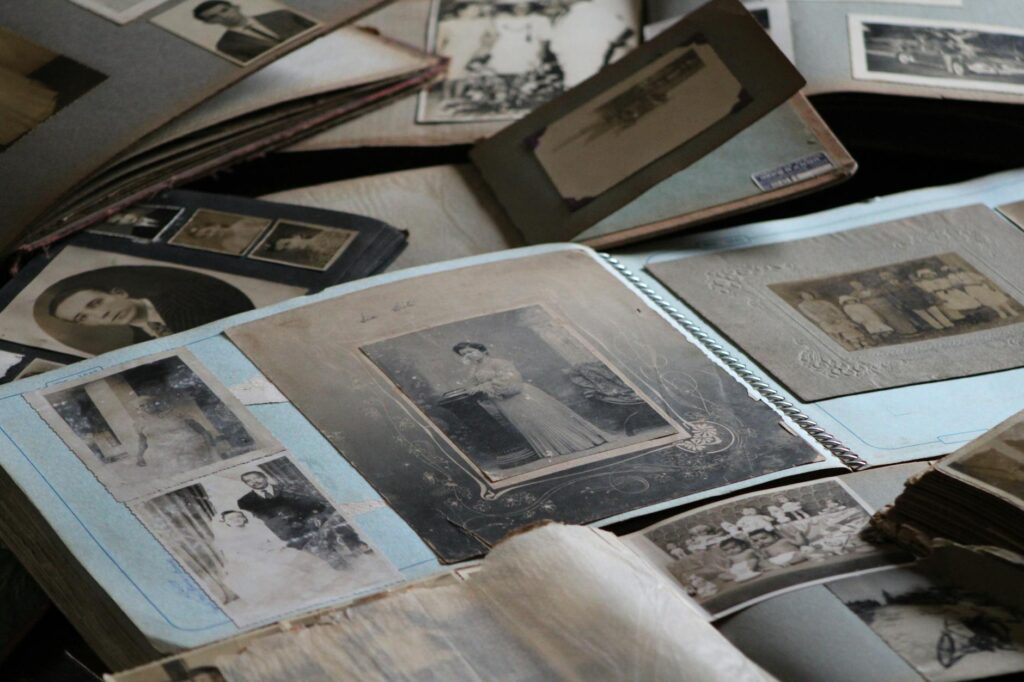
A common question asked is: How do we ensure our stories, our family histories, and the vibrant mix of our communities aren’t lost to time, especially in our increasingly digital world? As of May 2026, the urgency to address Digital Archiving for Personal and Community Legacies has never been greater. We’re creating more digital content than ever before – photos, videos, documents, social media posts – but without a plan, this wealth of information can become inaccessible or disappear entirely.
Last updated: May 6, 2026
Key Takeaways
- Digital archiving safeguards personal memories and community histories from digital decay and obsolescence.
- Establishing a clear strategy, including file organization and metadata, is crucial for long-term access.
- Choosing appropriate storage solutions, balancing cost with security and longevity, is a primary concern.
- Community digital archiving requires engagement, shared ownership, and consideration of ethical implications.
- Regularly reviewing and migrating digital assets ensures they remain accessible across future technologies.
Why Digital Archiving Matters Now More Than Ever
Think about the sheer volume of digital content we generate daily. Your smartphone captures high-resolution photos and videos, your computer stores years of documents, and social media platforms hold snippets of your life. Without a proactive approach, these digital artifacts are vulnerable. File formats become obsolete, storage devices fail, and access methods change. Digital archiving is the process of systematically managing, preserving, and ensuring continued access to these digital assets over the long term.
For individuals, this means safeguarding family histories, personal achievements, and unique life experiences. For communities, it’s about preserving cultural heritage, local histories, organizational records, and the collective memory that binds people together. The risk of losing this invaluable information is significant if we don’t establish strong digital preservation strategies.
Getting Started: Your Personal Digital Legacy
When thinking about your personal digital legacy, start with what matters most. What photos, videos, letters, or documents define your life and your family’s story? The first step is often a digital declutter. Go through your devices and cloud storage. Identify duplicates, irrelevant files, and organize what you want to keep.
Practically speaking, this involves creating a logical folder structure on your computer or an external hard drive. Use clear, consistent naming conventions for your files. For instance, instead of “IMG_1234.jpg,” use “1998-07-15_Family Vacation_Beach_01.jpg.” This makes it much easier to find and understand content years down the line.
Consider what information would be helpful for future generations. Adding metadata – descriptive information about the file – is invaluable. This could include dates, people involved, locations, and the context of the event. Many operating systems allow you to add tags or descriptions to files, and dedicated archival software can manage this more robustly.
Building a Community Digital Archive
Community digital archiving presents unique opportunities and challenges. It’s not just about preserving documents; it’s about capturing oral histories, digitizing community event photos, archiving local news articles, and potentially even preserving digital art or cultural expressions. The goal is to create a shared resource that reflects the community’s identity and history.
From a different angle, community archiving often involves collaboration. This means engaging stakeholders – residents, local historical societies, community groups, libraries, and educational institutions. Establishing clear goals for the archive, defining what content is prioritized, and agreeing on access policies are crucial early steps. What does the community want to remember and share?
For example, a neighborhood association might decide to digitize old newsletters, record interviews with long-time residents, and create a digital map of historical landmarks. This collective effort builds not only an archive but also strengthens community bonds. According to the Digital Preservation Coalition (2023), community-led projects often succeed through strong outreach and shared ownership.
Choosing Your Storage Solutions: Cost vs. Longevity
Selecting where to store your digital archives is a critical decision. There’s no single perfect solution, and often a multi-layered approach is best. Cloud storage services offer convenience and accessibility, but concerns remain about long-term viability, vendor lock-in, and potential price increases. Services like Google Drive, Dropbox, and OneDrive are popular for their ease of use and integration.
External hard drives and Network Attached Storage (NAS) devices offer more control but require diligent management. Hard drives can fail, so redundancy is key. A common recommendation is the 3-2-1 backup rule: at least three copies of your data, on two different types of media, with one copy stored off-site. As of 2026, high-capacity external drives (20TB+) can range from $300 to $700, depending on brand and speed.
Archival-grade media, such as M-DISC Blu-rays or specialized solid-state drives, are designed for longevity but can be more expensive per gigabyte. For community archives, considering institutional-grade digital preservation systems, often offered by specialized vendors or cloud providers, becomes important, though these come with significant costs.
The Role of Metadata and File Formats
Metadata is the ‘data about data.’ For digital archives, it’s absolutely essential for discoverability and context. Imagine finding a folder of scanned documents with no titles or dates – how would you know what they are? Implementing a consistent metadata schema allows you to describe your digital objects, making them searchable and understandable for years to come.
Choosing stable, widely supported file formats is equally vital for long-term digital preservation. Formats like PDF/A (for documents), TIFF (for images), and WAV (for audio) are generally considered more future-proof than proprietary or rapidly evolving formats. While JPEGs are ubiquitous for photos, TIFFs often preserve image quality better and are preferred for archival purposes. Migrating your files to newer, more sustainable formats as technology evolves is a key aspect of digital preservation.
Copyright and Access Considerations
When archiving personal materials, copyright is usually straightforward if you own the original content. However, community archives often deal with materials created by many individuals or organizations. Understanding copyright law, obtaining necessary permissions, and respecting intellectual property rights are paramount. This is particularly relevant for oral histories or digitized historical documents.
Defining access policies is also crucial. Who can view the archive? What parts are public, and what requires special permission? For community archives, balancing the desire for open access with the need to protect sensitive information or copyrighted material requires careful policy development. The National Archives and Records Administration (NARA) in the US provides extensive guidance on managing records, including digital formats, which can inform these policies.
Preserving Oral Histories: Tools and Techniques
Oral histories are powerful windows into personal experiences and community memory. Digitally archiving them involves more than just recording an interview. It requires careful planning, ethical considerations, and strong technical management.
Tools for recording can range from smartphone apps to professional digital recorders. The key is capturing high-quality audio. For archiving, it’s best to record in lossless formats like WAV. Transcribing interviews, either manually or using AI-powered tools, significantly enhances accessibility and searchability.
When conducting and archiving oral histories, always obtain informed consent from participants. Explain how the recordings will be used, stored, and who will have access. This is a core ethical principle in archival work, as highlighted by the Oral History Association.
The Cost of Digital Archiving: What to Expect in 2026
The cost of digital archiving varies wildly depending on the scale and ambition of the project. For personal archives, the primary costs involve storage media (external drives, cloud subscriptions) and potentially software. A good external 10TB hard drive might cost between $150-$250, while cloud storage can range from $10-$30 per month for sufficient space for a family archive.
Community archives face more significant expenses. Digitizing large collections of physical materials can require specialized equipment or outsourcing, costing thousands of dollars. Ongoing costs include storage, software licenses, and potentially staff time for management and curation. Some estimates suggest that digital preservation can cost 1-5% of the original creation cost annually, though this is highly variable. For organizations, budgeting for digital archiving should be a long-term commitment, not a one-off expense.
Common Mistakes to Avoid in Digital Archiving
One of the most common mistakes is neglecting the process until it’s too late. People often think they have plenty of time, only to find old hard drives that won’t spin up or cloud accounts they can no longer access. Procrastination is the enemy of digital preservation.
Another frequent pitfall is poor organization and lack of metadata. Without it, your digital archive becomes a chaotic mess, rendering it nearly useless. Relying on a single storage solution is also a critical error; always implement redundancy to protect against data loss.
For community projects, failing to involve the community or ignoring copyright issues can lead to significant problems. Ensuring buy-in and clear legal frameworks from the outset prevents future disputes and ensures the archive’s sustainability.
Practical Tips for Long-Term Digital Preservation
Regularly Back Up: Implement the 3-2-1 backup strategy consistently. Automate backups where possible.
Use Standardized Formats: Whenever possible, save and migrate your files to open, non-proprietary formats.
Document Everything: Keep records of your file naming conventions, folder structures, metadata schemas, and storage locations.
Review and Migrate: Periodically (every 3–5 years) check your digital files. Migrate them to new storage media or newer, more sustainable file formats as technology advances. This process is known as a digital refresh.
Educate Yourself and Others: Stay informed about best practices in digital preservation and share this knowledge within your family or community group.
FAQ
What is the primary goal of digital archiving?
The primary goal is to ensure that digital information remains accessible, usable, and authentic for as long as it’s needed, protecting it from technological obsolescence and physical degradation.
How much does digital archiving cost for personal use?
For personal use, costs are primarily for storage media and cloud services. This can range from a few hundred dollars for external drives and cloud subscriptions to thousands over time, depending on the volume of data and chosen solutions.
What are the biggest challenges in community digital archiving?
Key challenges include securing funding, ensuring long-term sustainability, managing diverse content types, engaging the community, and navigating copyright and access permissions ethically.
Can I use social media as a digital archive?
While social media captures moments, it’s not a reliable long-term archive. Platforms can change policies, accounts can be lost, and content may not be easily exportable or preserved in stable formats. It’s best to back up critical content elsewhere.
How often should I review my digital archives?
It’s recommended to review your digital archives at least every 3–5 years to check for data integrity, update file formats if necessary, and migrate content to new storage media to prevent loss.
What is metadata in digital archiving?
Metadata is data that describes other data. In digital archiving, it provides context about files, such as creation date, author, subject, and keywords, making them discoverable and understandable over time.
Securing Your Stories for Tomorrow
Digital archiving for personal and community legacies isn’t just a technical process; it’s an act of care for the future. By implementing thoughtful strategies, choosing appropriate tools, and committing to ongoing management, you can ensure that your stories, your heritage, and your community’s collective memory endure. The most actionable takeaway is to start small, but start today. Identify one area of your digital life – a collection of family photos, old documents, or a community group’s records – and begin the process of organizing and backing it up.
Last reviewed: May 2026. Information current as of publication; pricing and product details may change.
Editorial Note: This article was researched and written by the Afro Literary Magazine editorial team. We fact-check our content and update it regularly. For questions or corrections, contact us. Knowing how to address Digital Archiving for Personal and Community Legacies early makes the rest of your plan easier to keep on track.
Frequently Asked Questions
What is Digital Archiving for Personal and Community Legacies?
Digital Archiving for Personal and Community Legacies is a topic that many people search for. This article provides a thorough overview based on current information and expert analysis available in 2026.
Why does Digital Archiving for Personal and Community Legacies matter?
Understanding Digital Archiving for Personal and Community Legacies helps you make better decisions. Whether you’re a beginner or have some experience, staying informed on this topic is genuinely useful.
Where can I learn more about Digital Archiving for Personal and Community Legacies?
We recommend checking authoritative sources and official websites for the most current information. This article is regularly updated to reflect new developments.